





Temu Listings Not Showing? 9 Proven Fixes That Worked in 2026 (And Why Each One Happens)
You published the listing. You checked it. It showed
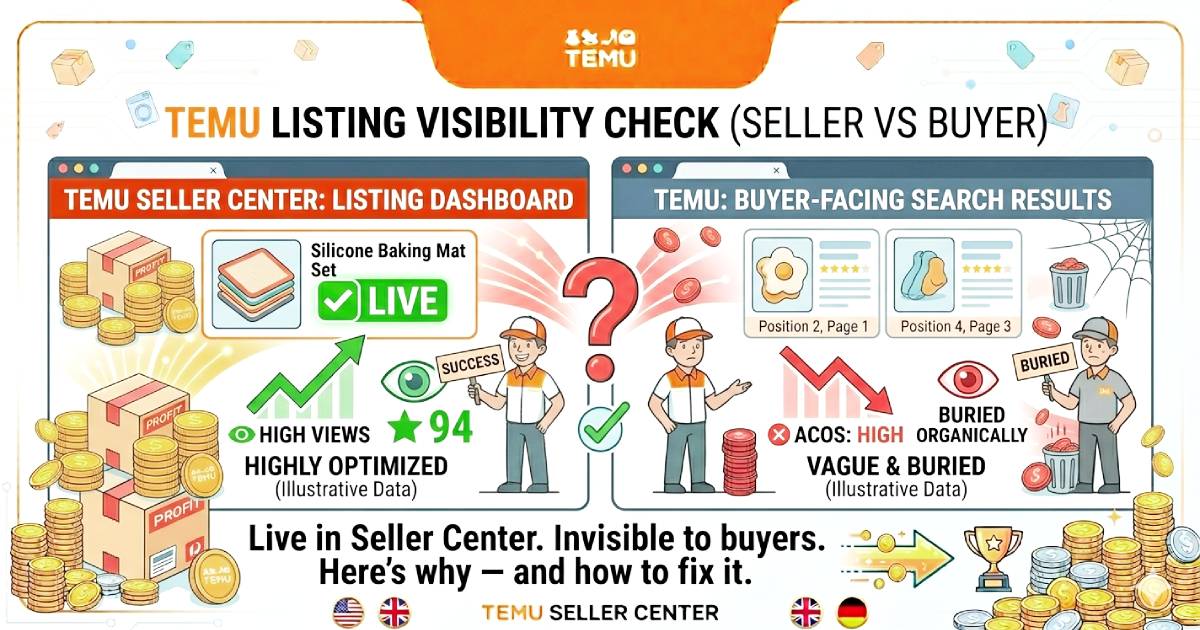
"Live" in your Seller Center. Then you searched for it as a buyer and found nothing.
No position on page one. Not on page five. Not when you
typed the exact product title word for word. Your listing exists in the system,
Temu confirms it is active, and yet it is completely invisible to any buyer
searching the platform.
This is one of the most disorienting problems a Temu seller
can face because unlike a suspension notice or a policy warning, there is no
alert. No email. No dashboard flag screaming "your listing is
broken." The listing just quietly disappears from search results while
your Seller Center confidently tells you everything is fine.
Sellers across Temu's marketplace have reported recurring
listing issues that directly affect visibility, buyer trust, and revenue
stability in 2026. Many sellers experience sudden listing deactivation, missing
attributes, or product information not displaying correctly — and these issues
can occur even when products appear fully compliant with Temu's guidelines.
The good news is that most invisible listing problems have
identifiable causes and fixable roots. This guide walks through every confirmed
reason your Temu listing may not be showing in 2026 — ranked from most to least
common — with the exact fix for each one. By the end, you will have a
diagnostic framework that turns a frustrating mystery into a solvable problem.
Note: Temu's platform architecture and policy enforcement
evolve continuously. The fixes in this guide reflect verified seller-reported
patterns and platform behaviour as of April 2026. Always cross-reference with
your current Seller Center notifications and dashboard status.

Why Does This Happen? Understanding Temu's Indexing vs. Visibility Gap
Before jumping to fixes, you need to understand the
distinction that causes most of this confusion.
In Temu's system, a listing can exist in two states
simultaneously: indexed (the platform knows the listing exists) and visible
(the listing appears in search results and category pages for buyers). These
are not the same thing.
A listing shows "Live" in your Seller Center
because it is indexed — Temu's database has it recorded. But visibility is
determined by a separate set of signals that your listing must satisfy to
actually appear in search results. As covered in our Temu Algorithm DeepDive, Temu's ranking and display system continuously evaluates listings
against performance signals, compliance requirements, attribute completeness,
and account health metrics.
Common causes of listings suddenly disappearing or becoming
only partially visible include incorrect category selection, missing product
attributes, essential product images not meeting requirements, and rapid or
frequent listing edits that inadvertently trigger automated security checks and
resets.
The result: your listing is technically live but
algorithmically suppressed pushed below the threshold where Temu's system
will show it to buyers. This is the "invisible listing" problem.
There is also a second scenario that trips up new sellers:
the listing is genuinely live and indexed, but the keyword targeting is so
misaligned with how buyers actually search that the listing simply never
appears for relevant queries. This is a different problem with a different fix,
but the symptom — listing not visible — looks identical from the seller's side.
This guide covers both.
Fix 1: Your Listing Is in the Wrong Leaf-Level Category
How common is this: Very common — especially with new
listings and sellers who build listings quickly.
Why it causes invisibility: Temu's search system is
category-driven. When a buyer searches for "silicone baking mat," the
algorithm primarily serves results from the specific sub-category where
silicone baking mats are classified — not from "Kitchen & Dining"
broadly or "Home & Garden" generically. A listing placed in the
wrong category either appears for completely irrelevant searches or does not
appear at all for the searches that matter.
Incorrect category selection is one of the primary causes of
listing visibility failures on Temu in 2026. The platform uses a leaf-level category model —
meaning you need the most specific subcategory available, not a parent
category. A cable organizer listed under "Electronics" instead of
"Electronics > Cable Management > Cable Organisers" is several
levels away from where buyers searching for cable organizers actually find
products.
The Fix:
Open the listing in your Seller Center. Navigate to the
category field. Click through the category tree all the way to the deepest
available subcategory for your product. If your product fits in a subcategory
four or five levels deep, it needs to be there — not two levels up.
If you are unsure which leaf-level category is correct,
search for your product as a buyer. Click on a top-ranking competitor listing.
Find the "Category" breadcrumb on the listing page. That shows you
exactly where high-ranking listings in your niche are classified. Match it.
After updating the category, allow 24–48 hours for the
system to re-index the listing in its new location before testing visibility
again.
Action Step: Take your three lowest-visibility
listings right now. Check their current category versus the category of your
top three competitors in the same niche. If there is a mismatch at the leaf
level, fix it today.
Fix 2: Missing or Incomplete Attributes Are Suppressing the Listing
How common is this: Extremely common — the most
underestimated cause of listing invisibility.
Why it causes invisibility: As covered in our
[Listing Optimization Tutorial], Temu's attribute system is what allows your
listing to appear in filter-based searches. When a buyer narrows results by
material, colour, size, or compatibility, only listings with those attributes
filled correctly appear in the filtered results.
But the problem goes deeper than filters. Temu's algorithm
treats attribute completeness as a quality signal. A listing with 4 of 11
available attributes filled communicates low listing quality to the system.
Below a certain completeness threshold, the listing's visibility can be
suppressed across all search results — not just filtered ones.
Missing product attributes are a confirmed cause of listing
visibility failures. Sellers who implement structured listing management and
regularly audit attribute completeness enjoy consistent visibility compared to
those who leave fields incomplete.
The Fix:
Open each listing's attribute section in Seller Center.
Count the total available fields. Count how many are filled. If any field is
blank — even optional fields — fill it. Every empty field is a lost filter
match and a potential quality signal penalty.
Pay particular attention to: Material, Colour,
Dimensions/Size, Compatibility (for accessories), Weight, and any certification
fields that appear (especially for EU market listings). These are the fields
most commonly left blank and the ones most actively used by buyers to filter
search results.
|
Attribute Priority Level |
Fields |
Visibility Impact |
|
Critical |
Material, Colour, Dimensions, Size |
Direct filter exclusion if missing |
|
High |
Compatibility, Weight, Package Contents |
Filter exclusion + quality signal |
|
Medium |
Certification fields, Country of Origin |
Quality signal + compliance |
|
Lower |
Additional descriptors, Style |
Quality signal only |
Fix 3: Your Main Image Is Failing Temu's Automated Review
How common is this: Common — and completely silent
when it happens.
Why it causes invisibility: Temu runs automated image
review on listings after publication. If your main image fails this review —
for any of several reasons — the listing can be suppressed from search results
without any notification appearing in your dashboard. The listing status still
shows "Live." The suppression is invisible in your Seller Center view
but completely real in buyer-facing search results.
Listing issues can occur even when products appear compliant
with Temu's guidelines — and they can cause a listing to disappear or become
only partially visible in ways that are not immediately apparent to the seller.
Common main image failures that trigger suppression:
- Text
overlays on the main image (prohibited in most categories on Temu's main
image)
- Watermarks
visible in the image (including supplier watermarks on wholesale photos)
- Low
resolution (below minimum requirements — typically 800×800px)
- Product
not centred or filling less than 70–75% of the frame
- Multiple
products shown when the listing is for a single item
- Background
that is not white or neutral for categories where this is required
- Duplicate
images — your main image appearing on another seller's listing (common
when using supplier photos)
The Fix:
Check your main image against each of these failure points.
If you are using supplier-provided photos, assume they appear on other listings
and replace them with original images. A clean, high-resolution,
white-background product photo with no text, no watermarks, and the product
filling 85%+ of the frame passes automated review in virtually every category.
If you have recently updated your main image and visibility
has not returned within 48 hours, check your Seller Center notifications for
any image-related policy flags that may have been generated without triggering
a dashboard alert.

Fix 4: Your Account Health Metrics Have Crossed a Suppression Threshold
How common is this: More common than sellers realise
— because the metric drift is gradual and the listing suppression appears to
happen suddenly.
Why it causes invisibility: As covered in our [Scale
Without Suspension] guide, Temu's platform evaluates individual listing
performance and overall account health continuously. When account-level metrics
— Order Defect Rate (ODR), Late Shipment Rate (LSR), or unresolved dispute count
— approach or cross threshold levels, the algorithm can suppress individual
listings or reduce their search rank as part of a broader account health
response.
Critically, this suppression does not always appear as a
formal account warning. It can manifest as a gradual and then sudden drop in a
listing's organic position — which from the seller's perspective looks exactly
like an unexplained visibility loss rather than an account health consequence.
The Fix:
Go to your Seller Center Account Health section immediately.
Check:
- Your
current Order Defect Rate (safe zone: below 1%, flag zone: above 1.2%)
- Your
Late Shipment Rate (safe zone: below 5%, flag zone: above 8.7%)
- Open
buyer disputes older than 48 hours (any open dispute needs immediate
response)
- Any
active policy warning flags
If any metric is in the at-risk zone, address it before
working on listing-level fixes. Fixing the listing while account health is
suppressing it will accomplish nothing. The account health problem is the root
cause — the listing invisibility is the symptom.
For the complete metric thresholds and remediation process,
see our [Scale Without Suspension] guide.
|
Metric |
Safe |
At-Risk |
Listing Suppression Risk |
|
Order Defect Rate |
<1% |
1–1.2% |
Above 1.2% — high |
|
Late Shipment Rate |
<5% |
5–8.7% |
Above 8.7% — high |
|
Open Disputes (30 days) |
0–2 |
3–4 |
5+ — confirmed risk |
|
Listing Policy Warnings |
0 |
1 |
2+ — confirmed risk |
Fix 5: Your Title Keywords Do Not Match How Buyers Actually Search
How common is this: Very common — especially for
sellers who write titles from a seller's perspective rather than a buyer's.
Why it causes invisibility: This is the second type
of invisible listing problem — the listing is genuinely live and indexed, but
it never appears because the keywords in the title and description do not match
the search terms real buyers use. The listing is not suppressed. It is simply
never triggered by relevant searches.
This is especially prevalent in three situations:
- Sellers
using factory/supplier language ("multi-functional storage solution
unit") instead of buyer search language ("drawer
organizer")
- Non-native
language markets where titles are translated rather than rebuilt (a
translated German title will miss the compound-noun search terms German
buyers actually use)
- Sellers
who optimize for what they think sounds good rather than what buyers type
As covered in our [Listing Optimization Tutorial], the Temu
search algorithm weights keyword placement in the title heavily, with the first
3–5 words carrying the most indexing weight. A primary keyword buried at
position 8 in a title will rank significantly worse than the same keyword
leading the title.
The Fix:
Search for your product as a buyer using 5–6 different
search terms you think buyers would use. If your listing does not appear for
any of them, you have a keyword mismatch problem.
Use the title formula from our [Listing Optimization
Tutorial]:
[Primary Keyword] + [Key Feature/Material] +
[Size/Quantity] + [Use Case] + [Secondary Keyword]
For the German market specifically: rebuild the title from
scratch in German compound nouns — do not translate from English. "Silikon
Backmatten Set wiederverwendbar antihaftbeschichtet 30x40cm" triggers
German search queries in ways that no English-to-German translation will
replicate accurately.

Action Step: Search for your product category as a
buyer right now. Look at the titles of the top five ranking listings. Count how
many of their title words appear in your title. If fewer than three primary
terms overlap, your title needs rebuilding — not editing.
Fix 6: Rapid Listing Edits Have Triggered an Automated Review Reset
How common is this: Common — and almost always
unintentional.
Why it causes invisibility: Temu's automated security
system monitors for unusual listing activity patterns. When a listing receives
multiple significant edits in a short period — changing the title, updating
images, modifying the price, and adding attributes all within the same day, for
example — the system can interpret this activity as suspicious and flag the
listing for automated review. During this review period, the listing's search
visibility is reduced or suspended.
Rapid or frequent listing edits that inadvertently trigger
automated security checks and resets are a documented cause of listing
visibility issues. Sellers are advised to pace updates and avoid making
multiple bulk updates in a short period to prevent automated marketplace
resets.
This is a particularly cruel problem because it punishes the
exact behaviour a motivated seller uses when they discover their listing has
problems — immediately fixing everything at once. The mass edit that was meant
to improve visibility actually triggers a review that makes visibility worse
temporarily.
The Fix:
Pace your updates. Avoid making multiple bulk changes in a
short period. When you need to make multiple improvements to a
listing, spread them across 24–48 hour windows:
- Day 1:
Update the title and main image only
- Day 2:
Update the bullet points and description
- Day 3:
Fill in any missing attributes
- Day 4:
Update supporting images
This staged approach avoids triggering the automated review
flag while still getting all the improvements implemented. Allow 24–48 hours
after each significant edit before checking visibility.
If you believe a listing is already in an automated review
hold from rapid editing, the resolution is simply time — typically 48–72 hours
— combined with avoiding any further edits during the review period.
Fix 7: Your Listing Has Been Silently Suppressed for a Policy Issue
How common is this: Medium — but when it happens, it
is the hardest cause to diagnose because the symptom is identical to
algorithmic suppression.
Why it causes invisibility: Temu's policy review
system can suppress a listing from search results for policy compliance issues
without generating a prominent dashboard notification. This includes:
- Product
descriptions containing claims that require certification (health claims,
"FDA approved," "medical grade," "clinically
tested") without supporting documentation
- Images
that contain third-party logos, brand names, or trademark-adjacent design
elements
- Listing
content that Temu's automated content review flags as potentially
infringing or non-compliant
- For
EU/UK market listings: GPSR documentation missing or incomplete,
triggering compliance suppression
The listing status shows "Live" because it has not
been formally deactivated — but its search visibility has been reduced or
removed pending review or correction.
The Fix:
Check your Seller Center notifications and messages section
carefully — not just the main dashboard. Compliance-related policy
notifications sometimes appear in the messages inbox rather than as prominent
dashboard alerts.
Then audit the listing content systematically:
- Remove
any claim that cannot be immediately substantiated with documentation
(health claims, certification claims, performance guarantees with specific
numbers)
- Check
images for any text, logos, or brand identifiers that are not your own
- For
German or EU market listings: verify that EU Responsible Person
information is correctly uploaded in your Seller Center backend and
appears on your product labels
If you find and correct the issue, allow 48–72 hours after
the correction for the system to re-evaluate the listing.
For sellers in Germany, the most common silent compliance
suppression cause is missing or incorrectly formatted GPSR documentation — as
covered in depth in our [Temu Germany Seller Guide]. The fix is completing the
GPSR documentation stack fully in the backend before the listing can regain
visibility.
Fix 8: Zero Sales Velocity Has Pushed the Listing Beyond Buyer View
How common is this: Very common for new listings and
relaunched products.
Why it causes invisibility: Temu's algorithm — like
Amazon's and most major marketplace ranking systems — uses sales velocity as
one of its strongest ranking signals. As covered in our Temu Algorithm DeepDive, a listing with zero recent sales is ranked significantly lower than a
listing with even modest weekly sales. In competitive categories, zero-velocity
listings can be pushed so far down the results that they are effectively
invisible without active searching by page number.
This is not the same as technical suppression. The listing
is fully indexed, fully compliant, and fully visible in principle — it is
simply ranked too low to be found by buyers who typically do not scroll past
page two or three of results.
New listings are especially vulnerable. The algorithm has no
performance data for them. Without early sales to generate velocity signals, a
new listing in a competitive category is competing against established listings
with months of velocity history.
The Fix:
This is where ads become a tool for visibility, not just
marketing. As covered in our Temu Ads Mastery guide, a modest PPC campaign —
$10–$15/day — on a new listing serves two purposes: it drives traffic that can
convert into early sales, and those early sales generate the velocity signal
that the algorithm needs to start ranking the listing organically.
The sequence for launching a new listing into visibility:
- Ensure
listing is fully optimised (title, images, attributes, bullets) before any
ad spend
- Launch
a Sponsored Products campaign at a conservative daily budget
- Run
for 14–21 days minimum to accumulate sales velocity
- Check
organic position improvement after 21 days — if velocity has built,
organic position should have improved measurably
- Gradually
reduce ad dependency as organic ranking improves
Think of the initial ad spend as paying for the ranking data
the algorithm needs — not just paying for immediate sales. The long-term return
on that spend is the organic position improvement that follows.
Fix 9: Your Listing Is Live But Your Fulfilment Status Has Paused Visibility
How common is this: Less common but completely
overlooked when it happens.
Why it causes invisibility: In specific situations,
Temu's system can reduce a listing's search visibility in response to
fulfilment-related signals — even when the listing content itself is perfectly
compliant. These situations include:
Stock-out or near-stock-out: If your inventory level
for a listing drops to zero or near-zero, Temu's system reduces or removes its
search visibility. There is no buyer benefit in displaying a listing that
cannot fulfil orders. The listing remains "Live" in your Seller Center,
but buyers effectively cannot find it.
TWF inbound shipment in transit: When inventory for a
TWF listing is in transit to the warehouse and not yet received, the available
quantity can drop to zero. The listing goes dark until the inbound shipment is
received and processed by the warehouse.
Self-fulfillment handling time mismatch: If your
stated handling time in the listing does not match your actual dispatch
performance — for example, you stated 1-day handling but your recent orders
have averaged 3 days — the system can reduce the listing's placement in
delivery-speed filtered results.
The Fix:
Check your stock levels immediately. If any listing has
fewer than 7 days of stock remaining at current sales velocity, it is in the
visibility risk zone. Replenish before you run out — not after.
For TWF listings with inbound shipments in transit, check
the warehouse receipt status in your Seller Center. If the shipment has been
received but not yet processed, contact Temu seller support with your inbound
shipment ID to expedite processing.
For handling time mismatches, update your stated handling
time to accurately reflect your actual dispatch performance — then improve your
actual dispatch performance to match what your listing promises.
Action Step — Fulfilment Visibility Check: Right now,
open your Seller Center inventory page and filter by "lowest stock
first." Any listing with fewer than 14 days of stock remaining at current
velocity needs a reorder trigger. Visible listing, empty warehouse = invisible
listing within days.
The Diagnostic Framework: How to Identify Your Specific Problem
When a listing is not showing, work through this diagnostic
sequence in order. Do not skip ahead — fixing Fix 5 when Fix 4 is your root
cause wastes time and leaves the actual problem untouched.
Step 1 — Check account health first (5 minutes) Open
Account Health in Seller Center. Are ODR, LSR, and dispute counts all within
safe zones? If not, this is your root cause — fix it before anything else.
Step 2 — Verify the listing's actual status (2 minutes)
Go to Manage Listings. Does the status show "Live"? If it shows any
other status — under review, deactivated, policy violation — that status
message is your problem description. Follow the status-specific resolution.
Step 3 — Search as a buyer (5 minutes) Log out of
your seller account. Search for your exact product title on Temu as a buyer. If
it appears: the listing is visible but not ranking for buyer-language keywords
— go to Fix 5. If it does not appear at all: continue to Step 4.
Step 4 — Check for silent suppression (10 minutes)
Review your Seller Center messages and notifications for any compliance or
policy flags. Check that all GPSR documentation is complete and correctly
uploaded (EU/UK sellers). Check main image against the failure criteria in Fix
3.
Step 5 — Audit attribute completeness (10 minutes)
Open the listing's attribute section. Count total available fields vs. filled
fields. Any empty field is a potential suppression cause.
Step 6 — Check stock levels and fulfilment status (5
minutes) Is stock above zero? Is any inbound TWF shipment stuck in transit?
Is your stated handling time accurate?
Step 7 — Review recent edit history (2 minutes) Have
you made multiple significant edits to this listing in the past 48 hours? If
yes, wait 48–72 hours before making further changes and recheck visibility.

The Weekly Visibility Monitoring Routine
The most efficient way to handle listing visibility problems
is catching them before they fully develop. This 20-minute weekly routine
identifies most issues before they cost significant revenue.
Every Monday (10 minutes): Open your five
highest-revenue listings. Search for each one as a buyer using three different
keyword phrases. If any listing fails to appear for its primary keyword, note
it and run the diagnostic framework above.
Every Monday (5 minutes): Check stock levels on all
active listings. Flag any with fewer than 14 days of stock at current velocity.
Trigger reorders.
Every Wednesday (5 minutes): Review Seller Center
notifications and messages for any compliance, policy, or image-related flags
that may have appeared since Monday. These often generate midweek if listings
are going through automated review cycles.
Common Mistakes That Make Visibility Problems Worse
Making multiple bulk edits the moment you notice the
problem. The natural instinct when a listing disappears is to immediately
fix everything — title, images, attributes, price — all at once. This often
triggers the automated review reset in Fix 6, making the problem worse and
longer. Diagnose first, fix in stages.
Checking visibility immediately after making a fix.
Changes to Temu listings take 24–48 hours to propagate through the search
index. Checking 30 minutes after an edit and concluding "that didn't
work" leads to more edits, which delays the actual resolution further. Set
a calendar reminder for 48 hours after each fix and check then.
Confusing low ranking with no visibility. If your
listing appears on page 8 of search results, it is technically visible but
practically invisible. These are different problems — the first requires
listing compliance fixes, the second requires velocity and optimisation
improvements. Know which one you are dealing with before deciding on your fix.
Ignoring account health when debugging listing
visibility. Account-level metric suppression is the most common root cause
of sudden, unexplained visibility loss across multiple listings simultaneously.
If three or four of your listings go invisible at the same time, account health
is almost certainly the cause — not individual listing issues.
Not testing as a buyer. Many sellers check listing
visibility by looking at their Seller Center dashboard. The dashboard shows
indexing status, not buyer-facing visibility. The only accurate test is
searching for the product as a logged-out buyer, using the terms a real buyer would
use.
Conclusion + Your Temu Listing Visibility Action Plan
An invisible listing is never just bad luck. Every instance
of a Temu listing not showing in search results has a diagnosable root cause —
and every root cause in this guide has a specific, actionable fix.
The sellers who resolve visibility problems fastest are not
the ones who make the most changes. They are the ones who diagnose before they
act, who work through the problem systematically, and who understand that
Temu's system is making logical decisions based on signals — signals that can
be corrected once you know which one is wrong.
Your immediate action plan:
If you have a listing not showing right now — work through
the diagnostic framework above in sequence. Do not skip steps. The most common
root causes are account health issues and attribute incompleteness, and they
are both fixable in under an hour.
If your listings are currently showing but you want to
protect their visibility — implement the weekly monitoring routine. Twenty
minutes per week of proactive checking prevents the hours of reactive fixing
that invisible listings require.
If you are launching a new listing — build the visibility
foundation before publishing. Complete attributes, compliant main image,
keyword-aligned title, accurate stock levels, and account health in the safe
zone. A listing that launches correctly into the index reaches organic
visibility significantly faster than one that launches with gaps and requires
correction.
Visibility on Temu in 2026 is not random. It is a system.
Understand the system, maintain the signals it measures, and your listings will
show.
For the complete listing optimisation framework that
prevents most visibility problems before they start, see our Temu ListingOptimization Tutorial. For understanding how your account health metrics
connect to listing visibility, read the [Scale Without Suspension] guide. For
how ad-driven velocity solves the zero-sales suppression problem, see our TemuAds Mastery guide. And for the algorithm logic behind every visibility signal
covered in this article, the Temu Algorithm Deep Dive is the foundation.
Work with ApexBin
Want your Temu store set up and managed properly?
Muhammad Mustafa has over three years in Amazon advertising and five Amazon certifications, working with sellers across the US, UK and UAE.
Temu Store Setup & Management →






Blog Comments (1)
PPC SharkForce
Oct 17, 2026
The indexing vs. visibility distinction is the most valuable insight in this guide, since most sellers assume "Live" in Seller Center means visible to buyers. The warning about rapid listing edits triggering an automated review reset is something I've seen trip up sellers who panic and start changing everything at once. Running through the diagnostic framework in order instead of guessing is exactly the right approach.