





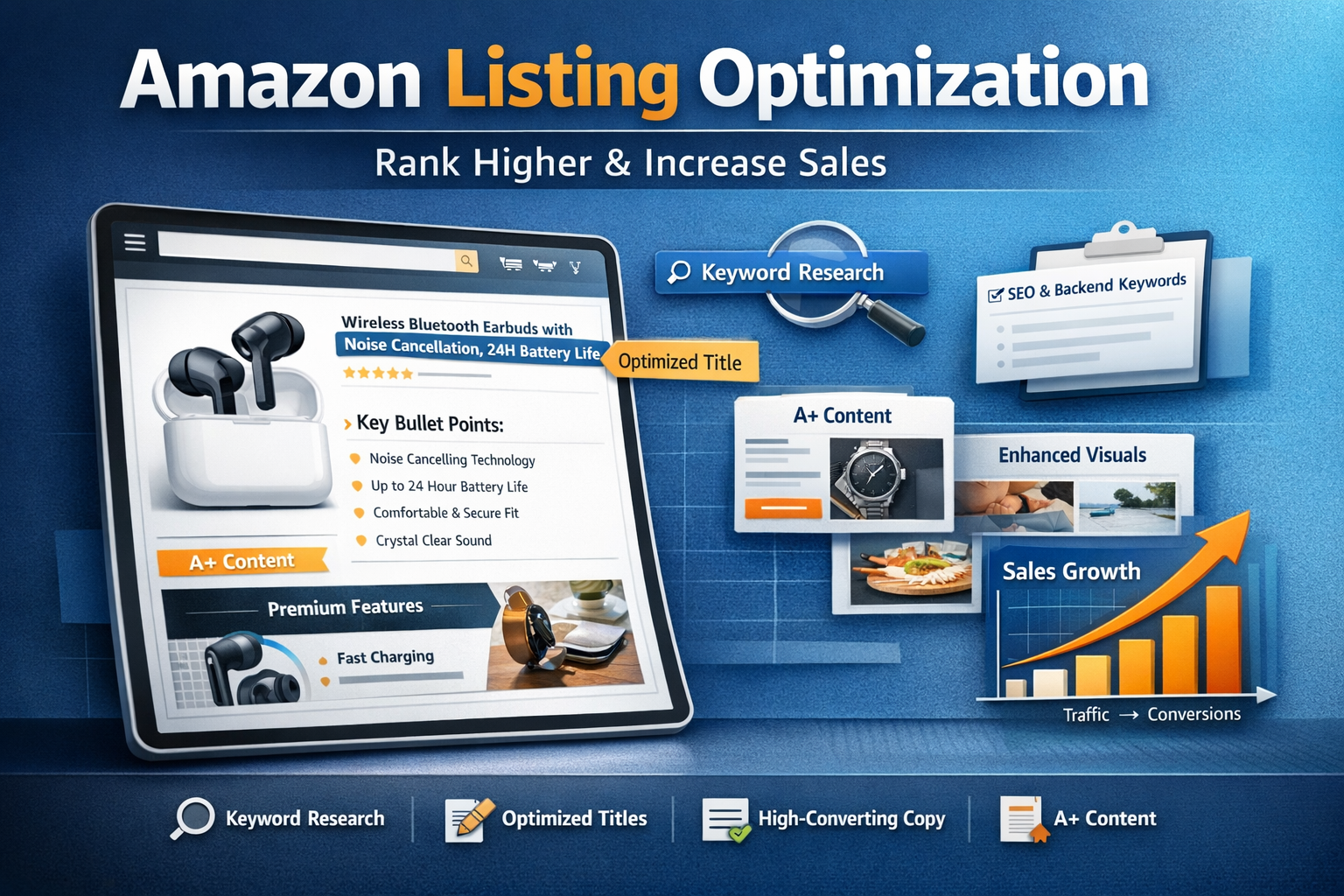
Amazon Listing Optimization: How to Rank Higher & Increase Sales
Creating a product listing on Amazon is easy — but creating a high-converting, SEO-optimized listing is what separates successful sellers from the rest.
In this guide, you’ll learn how to optimize your Amazon listing to rank higher, attract clicks, and convert visitors into buyers.
What is Amazon Listing Optimization?
Amazon Listing Optimization is the process of improving your product listing to:
- Rank higher in Amazon search results
- Increase click-through rate (CTR)
- Boost conversion rate
- Maximize sales
It combines Amazon SEO + Conversion Optimization
Step 1: Keyword Research (The Foundation)
Before optimizing anything, you need the right keywords.
How to Find Keywords:
- Use tools like:
- Helium 10
- Jungle Scout
- Analyze competitor listings
- Focus on:
- High search volume keywords
- Relevant long-tail keywords
Example:
Instead of just “earbuds” → use
“wireless noise-cancelling earbuds”
Step 2: Optimize Your Product Title
Your title is the most important ranking factor.
Best Practices:
- Include the main keyword at the beginning
- Add brand name
- Highlight key features
- Keep it readable (don’t overstuff)
Example:
Bad: Bluetooth Earbuds
Good: Wireless Bluetooth Earbuds with Noise Cancellation, 24H Battery, Touch Control
Step 3: Write High-Converting Bullet Points
Bullet points sell your product.
Focus on BENEFITS, not just features:
Instead of:
- “5000mAh battery”
Write:
- “Long-lasting 5000mAh battery – enjoy all-day usage without recharging.”
Use this formula:
Feature → Benefit → Outcome
Step 4: Product Description That Converts
Your description should:
- Tell a story
- Solve a problem
- Build trust
Include:
- Key benefits
- Use cases
- Emotional triggers
Make the customer feel:
“This product is perfect for me.”
Step 5: Image Optimization (CTR Booster)
Images are the #1 conversion factor.
Must-have images:
- White background (main image)
- Lifestyle images
- Infographics (features explained)
- Comparison image
- Dimensions/usage
Pro Tip:
Your images should answer:
“Why should I buy this?”
Step 6: Backend Keywords (Hidden SEO Power)
These are keywords customers don’t see — but Amazon does.
Tips:
- Add relevant keywords not used in the title
- Avoid repetition
- Use the full space wisely
Step 7: A+ Content (Brand Registered Sellers)
If you have a brand registry, use A+ content to:
- Improve conversion rate
- Build brand trust
- Showcase product visually
Use:
- Comparison charts
- Brand story
- High-quality visuals
Step 8: Competitor Analysis
Study top competitors and ask:
- What keywords are they using?
- What are their weaknesses?
- How can you do better?
Your goal:
Differentiate, not duplicate
Common Listing Optimization Mistakes
- Keyword stuffing ❌
- Poor-quality images ❌
- Ignoring customer pain points ❌
- Copying competitors ❌
- Weak titles ❌
Pro Strategy: Rank + Convert = Scale
Success on Amazon comes from combining:
- SEO (ranking)
- Conversion (sales)
Traffic + Conversion = Profit
Need Expert Help?
Optimizing an Amazon listing requires strategy, research, and experience.
We offer:
- Keyword research & competitor analysis
- High-converting listing creation
- Image & A+ content strategy
- Full Amazon growth management
Contact us today to grow your Amazon business!
Final Thoughts
A well-optimized listing is your 24/7 salesperson on Amazon.
If you get it right, you can:
- Rank higher
- Sell more
- Scale faster
Focus on value, clarity, and customer needs — and your listing will do the selling for you.
Work with ApexBin
Paying for traffic that lands on a listing which does not convert?
Muhammad Mustafa has over three years in Amazon advertising and five Amazon certifications, working with sellers across the US, UK and UAE.
Amazon Listing Optimization →





Blog Comments (0)
No comments yet. Be the first to comment!